
Transfer arbitrary messages
The first contract to build is one that enables cross-chain interaction through the Rayls Protocol, which means inheriting from the RaylsApp abstract contract and the set of communication methods it provides.
// SPDX-License-Identifier: MIT
pragma solidity 0.8.24;

import {RaylsApp} from "@rayls/contracts/RaylsApp.sol";

contract HelloWorldContract is RaylsApp {
    string public message;

    constructor(
        address _endpoint,
        address _raylsNodeEndpoint,
        address _userGovernance
    ) RaylsApp(_endpoint, _raylsNodeEndpoint, _userGovernance) {}

    function sendMessage(
        address to,
        uint256 toChainId,
        string memory _message
    ) public {
        _raylsSend(
            toChainId,
            to,
            abi.encodeWithSignature("receiveGreetings(string)", _message)
        );
    }

    function receiveGreetings(string memory _message) public {
        message = _message;
    }

    function getMessage() public view returns (string memory) {
        return message;
    }
}
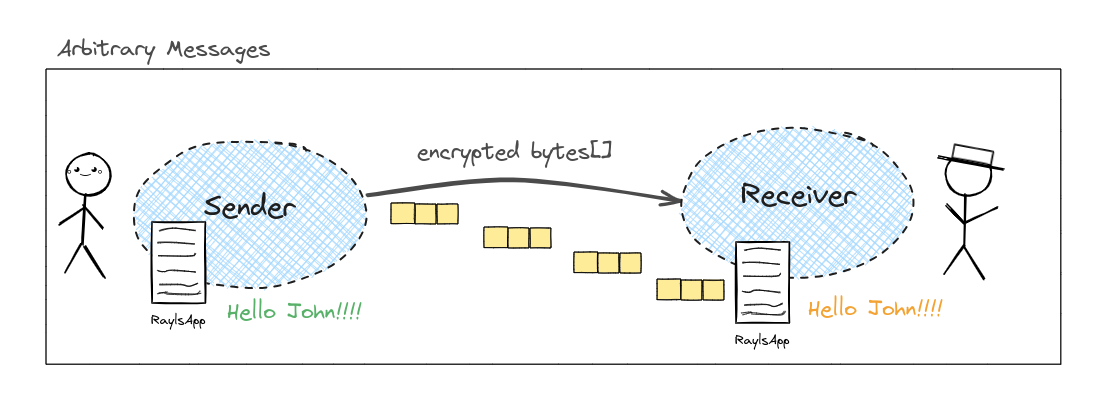
Cross-chain messaging depends on knowing the chain ID of the destination Rayls Sovereign ledger and the address of an equivalent contract deployed there, because the protocol uses Arbitrary Message Communication and formats each interaction as an encoded method call.
The consequence is that any data transferred between Rayls Sovereign ledgers is managed through function calls on the destination ledger, which keeps cross-chain communication to a single standardised approach.
⚠️### Access control on receive functions
In this tutorial example,receiveGreetingsis left open (public) for simplicity. In production contracts, any function that should only be called by the Rayls relayer must be marked with therestrictedmodifier and registered under theMESSAGE_EXECUTORrole. Calling arestrictedfunction from an unauthorised address reverts withRaylsAccessManaged__Unauthorized.See the RaylsApp page for details on how access control works in Rayls handlers.
Updated 16 days ago