
How to: Delegate Stake
Delegated staking allows any $RLS holder to participate in network consensus without needing the technical expertise or hardware required to run a full validator node. By delegating your $RLS to active validators, you contribute directly to the security of the Rayls network while earning a portion of the staking rewards.
To delegate your stake, follow these steps:
- For early adopters, withdraw your $RLS from precommit.rayls.com or seeding.rayls.com. If you are not an early adopter, you will need to get some $RLS from an exchange or from swap.rayls.com.
- Bridge your $RLS to Rayls using stargate.finance.
- Make sure you have $USDr in your wallet for gas on Rayls. Early adopters were given 1 $USDr by the Rayls Foundation, and all other users should use the $USDC to $USDr bridge at dapp.rayls.com/gas-token.
- Head over to staking.rayls.com.
- Connect your Web3 wallet.
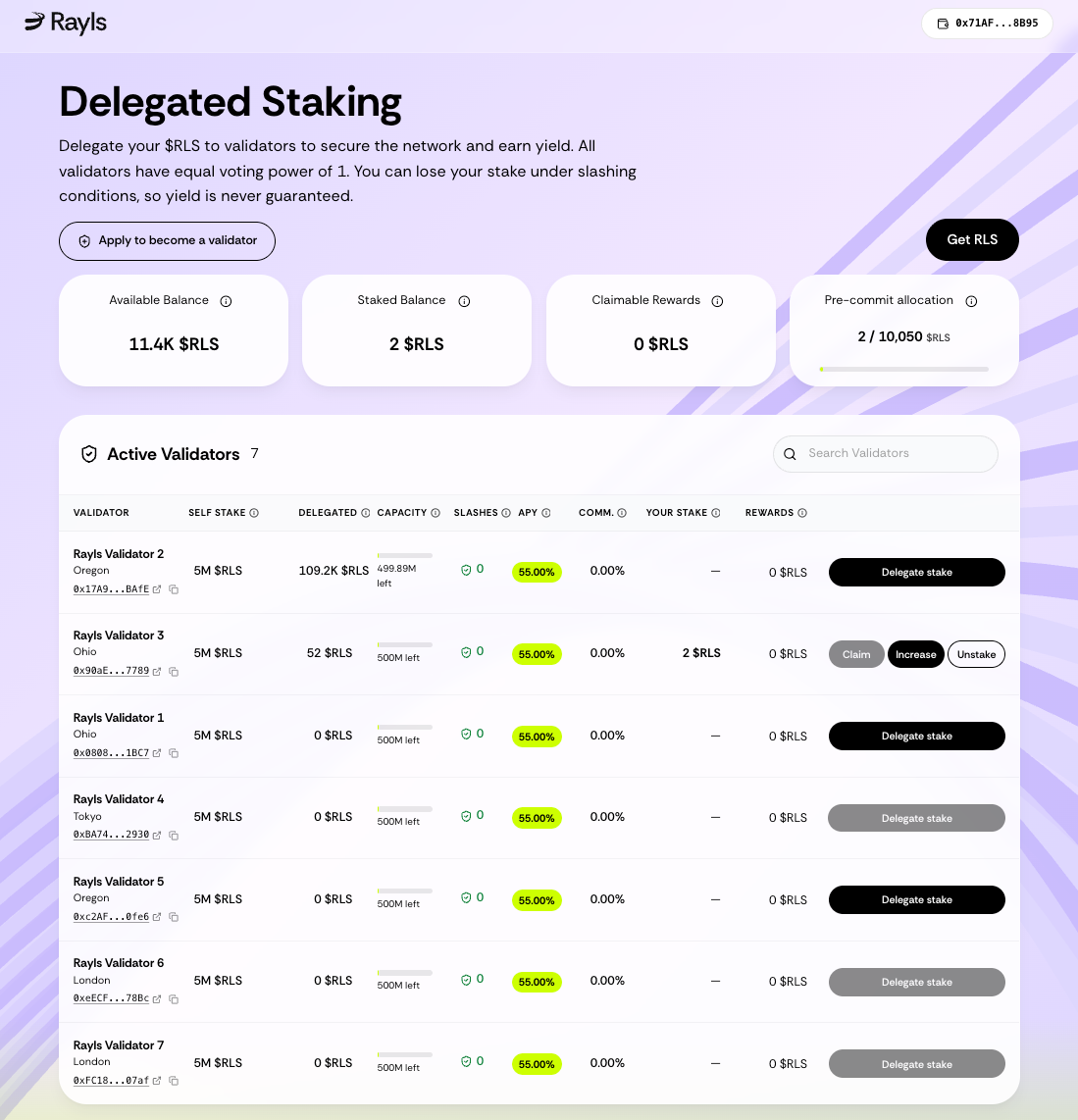
- Browse the Active Validators list and choose a node.
- Click Delegate, enter the amount of $RLS you wish to stake, and confirm the transaction in your wallet.
- Once staked, you can return to the dashboard at any time to claim your rewards, increase your stake, or unstake.
- When $RLS tokens are unstaked they enter a 14-day unbonding period, and only at the end of those 14 days can you withdraw your $RLS tokens from the same staking.rayls.com dapp.
⚠️ Important disclaimer
Please remember that while staking provides an opportunity to earn yield, you can lose your stake under slashing conditions if a validator acts maliciously or goes offline. Yield is never guaranteed, so always do your own research when participating. Participation for the first three months of staking is limited to participants of precommit.rayls.com and seeding.rayls.com. There is a boosted 55% APY for those first three months, and beyond that period no APY is guaranteed.
Updated about 2 months ago